Why Productivity Apps Feel Like a Superpower Today
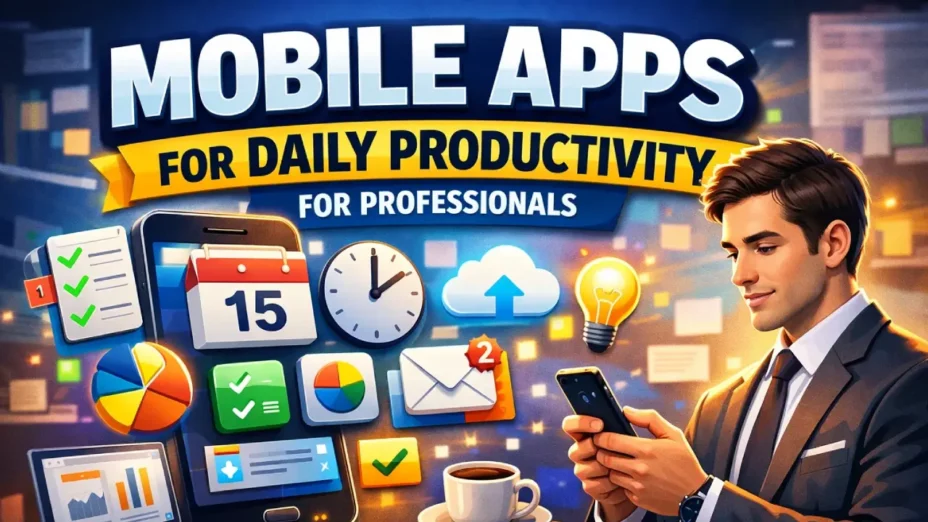
Let’s be real, modern work can feel like juggling flaming swords while riding a unicycle. Emails, meetings, deadlines, ideas, distractions… it never stops. That’s exactly why mobile productivity apps have gone from “nice-to-have” to absolutely essential.
These apps don’t just help you do more they help you think clearer, act faster, and stay in control. Imagine waking up and instantly knowing your priorities, your deadlines, and your next move. No chaos. No guessing. Just clarity.
And here’s the twist: the best professionals today aren’t necessarily working harder they’re working smarter with the right tools.
Best Mobile Apps by Productivity Category
Time Management Apps for Professionals
Time is your most valuable asset and these apps help you protect it fiercely.
1. RescueTime – Your Digital Truth Teller
RescueTime operates like a silent observer, tracking your digital behavior and turning it into meaningful insights. Once installed, it runs in the background, monitoring the apps and websites you use throughout the day. But it doesn’t just collect data it interprets it intelligently, categorizing activities as productive or distracting.
The real power of RescueTime lies in its reporting. You get detailed breakdowns of how your time is spent, including daily productivity scores and trends over time. This helps you identify patterns you might not even be aware of. For instance, you may think you’re spending only 30 minutes on social media, but the data might reveal it’s closer to two hours.
Another powerful feature is goal setting. You can define targets, such as limiting time on distracting websites or achieving a certain number of productive hours per day. RescueTime then tracks your progress and sends alerts if you’re veering off course.
The benefit here is awareness-driven improvement. Instead of guessing where your time goes, you have concrete data guiding your decisions. This leads to smarter scheduling, better focus, and ultimately higher productivity.
You’ll discover:
- How much time you waste on distractions
- Your peak productivity hours
- Where to optimize your schedule
Why professionals love it: It turns assumptions into data-driven decisions.
2. Toggl Track – Effortless Time Tracking
Toggl Track is designed for professionals who need precise control over how their time is allocated. Its core functionality is simple: you start a timer when you begin a task and stop it when you’re done. But behind that simplicity lies a powerful tracking system.
Each time entry can be assigned to a specific project, client, or category. Over time, this builds a detailed record of how your work hours are distributed. This is especially valuable for freelancers and consultants who bill clients based on time.
Toggl also offers reporting features that visualize your data through charts and summaries. You can quickly see which projects consume the most time and identify inefficiencies.
The biggest benefit is accountability and transparency. You become more conscious of how you spend your time, which naturally leads to better habits. It also simplifies invoicing and ensures you’re accurately compensated for your work.
Perfect for:
- Freelancers
- Consultants
- Remote teams
What makes it shine: Clean interface + powerful reporting.
3. Clockify – Free Yet Powerful
Clockify brings robust time tracking to teams without the cost barrier. It offers many of the same features as premium tools but with a generous free plan that supports unlimited users and projects.
The app allows team members to track time individually while giving managers a comprehensive overview of team activity. This creates transparency and helps ensure that workloads are balanced effectively.
Clockify also includes timesheets, reports, and project tracking features. Managers can analyze how time is spent across different projects and make data-driven decisions to improve efficiency.
The key benefit is scalability without expense. Teams can implement structured time management without investing heavily in software, making it ideal for startups and growing businesses.
Features:
Unlimited tracking
Team dashboards
Project breakdowns
Best for: Teams on a budget who still want enterprise-level tracking.
Task Management Apps (Organize Your Work Like a Pro)
Feeling overwhelmed? These apps turn chaos into clear action steps.
4. Todoist – Clean, Fast, Addictive
Todoist feels deceptively simple at first glance, but once you start using it daily, it quickly becomes the backbone of your productivity system. Its core functionality revolves around capturing, organizing, and completing tasks—but what makes it powerful is how effortlessly it does this.
The standout feature is natural language input. You can type something like “Finish presentation next Monday at 9 AM,” and Todoist instantly schedules it correctly. This removes friction from adding tasks, which is critical because the easier it is to capture a task, the more likely you are to stay organized.
Todoist also allows you to structure your tasks using projects, labels, filters, and priority levels. This means you can separate work from personal life, categorize tasks by context, and quickly filter what needs attention. Over time, this creates a highly organized system tailored to your workflow.
One of its most engaging features is the Karma system, which tracks your productivity trends and rewards consistency. It might sound small, but it taps into motivation psychology—turning task completion into a rewarding experience.
The biggest benefit of Todoist is clarity and consistency. It ensures nothing slips through the cracks while keeping your system clean and manageable. For professionals juggling multiple responsibilities, it becomes a reliable “external brain” that keeps everything in order.
Highlights:
- Natural language input (“Submit report tomorrow 9am”)
- Priority levels
- Productivity streaks
Why it works: It’s simple but dangerously effective.
5. Microsoft To Do – Your Daily Focus Partner
Microsoft To Do takes a slightly different approach by focusing heavily on daily intention rather than overwhelming lists. Its defining feature, “My Day,” encourages you to select a limited number of tasks to focus on each day. This simple habit can completely change how you approach work.
Instead of staring at a long list of tasks and feeling overwhelmed, you start your day with a clear and achievable plan. The app even suggests tasks based on your previous activity, helping you decide what deserves attention.
Functionally, the app supports task creation, reminders, due dates, and notes. But its real strength lies in integration with the Microsoft ecosystem. Tasks from Outlook emails can automatically appear in your to-do list, creating a seamless connection between communication and execution.
Another advantage is its simplicity. There’s no steep learning curve, making it ideal for users who want a straightforward tool without unnecessary complexity.
The benefit here is focused productivity. By narrowing your attention to what matters today, Microsoft To Do helps reduce stress and improve execution.
Each morning, you pick your focus and that’s it.
No overwhelm. Just clarity.
6. Things 3 – Minimalism at Its Best (iOS)
Things 3 is often described as the most beautifully designed task manager—and that’s not an exaggeration. But its appeal goes far beyond aesthetics. It’s built around the philosophy that productivity should feel calm and intentional, not chaotic.
The app organizes tasks into areas, projects, and daily lists. You can plan your upcoming tasks and then move them into your “Today” view when you’re ready to tackle them. This separation between planning and execution is incredibly effective.
Things 3 also introduces concepts like “Someday” tasks, which allow you to store ideas without cluttering your immediate workflow. This keeps your task list focused while still capturing long-term goals.
There are no overwhelming features just a smooth, distraction-free experience that encourages thoughtful planning. Every interaction feels intentional, which subtly influences how you approach your work.
The biggest benefit is mental calmness. It reduces noise and helps you focus only on what truly matters, making it ideal for professionals who value simplicity and clarity.
- Beautiful UI
- Smooth transitions
- Focus on essential tasks only
Feels like: A calm, organized mind in app form.
Productivity Tools with Focused Daily View
These apps answer one powerful question:
“What should I focus on today?”
7. Sunsama – Daily Planning for High Performers
Sunsama is designed for people who want to approach their day with purpose. Instead of dumping tasks into a list, it guides you through a daily planning ritual. Each morning, you decide what you’ll work on—and just as importantly, what you won’t.
The app pulls tasks from tools like Trello, Asana, and Gmail, allowing you to consolidate everything into one place. You then drag tasks into your daily schedule, assigning realistic time slots.
One of its most powerful features is time budgeting. Sunsama encourages you to estimate how long tasks will take, preventing overcommitment. At the end of the day, you review what you accomplished, creating a feedback loop for improvement.
This approach transforms productivity from reactive to intentional and mindful. You’re no longer chasing tasks you’re planning your day with clarity.
The key benefit is balance and control. Sunsama ensures you stay productive without burning out, making it a favorite among high performers.
You:
- Plan your day intentionally
- Pull tasks from other apps
- Stay realistic (no overloading)
Used by CEOs, creators, and deep thinkers.
Akiflow – Speed + Control
Akiflow is built for speed. If you’re someone who values efficiency and hates switching between apps, this tool feels like a breath of fresh air. It combines tasks, calendar, and shortcuts into a single interface.
Its standout feature is the command bar, which allows you to create tasks, schedule events, and organize your day using keyboard shortcuts. This dramatically reduces the time spent navigating menus.
Akiflow also integrates with tools like Slack, Gmail, and Notion, pulling tasks into one unified system. You can then plan your day by dragging tasks directly into your calendar.
The benefit is speed and efficiency. It eliminates friction and helps you stay in flow, making it ideal for professionals who handle high volumes of work.
Akiflow combines:
- Tasks
- Calendar
- Shortcuts
It’s insanely fast.
Best for: People who hate switching between apps.
Productivity Tools for Mindful Planning
Productivity isn’t just doing it’s thinking clearly.
9. Motion – AI-Powered Planning
Motion takes productivity to another level by using artificial intelligence to plan your day automatically. Instead of manually scheduling tasks, you simply add them, and the app decides when you should work on each one.
It considers deadlines, priorities, and your availability, constantly adjusting your schedule as things change. If a meeting gets added, Motion reorganizes your tasks accordingly.
This dynamic scheduling removes the burden of planning and ensures that your time is used optimally. It’s like having a personal assistant who’s always optimizing your day.
The benefit is effortless optimization. You spend less time planning and more time executing, while the app ensures everything stays on track.
It:
- Rearranges tasks
- Adjusts deadlines
- Optimizes your time
Feels like: Having a smart assistant managing your brain.
Structured – Visual Day Planner
Structured is perfect for people who think visually. It transforms your day into a timeline, showing exactly when each task will happen. This makes your schedule feel tangible and easy to follow.
You can add tasks, assign time slots, and see your day unfold in a clean, intuitive interface. It’s especially helpful for managing routines and balancing multiple responsibilities.
The app also supports reminders and recurring tasks, helping you build consistent habits over time.
The biggest benefit is clarity through visualization. When you can see your day laid out clearly, it becomes much easier to stay focused and organized.
You literally see your day unfold.
Perfect for:
- Visual thinkers
- ADHD users
- Busy professionals
Project Management Apps (Manage Work Like a Boss)
Big projects need clarity and these tools deliver.
11. Trello – Visual Simplicity
Drag. Drop. Done.
Trello uses a kanban board system that turns projects into visual workflows. Tasks are represented as cards that move across lists like “To Do,” “In Progress,” and “Done.”
This visual approach makes it easy to track progress and identify bottlenecks. You can add checklists, due dates, attachments, and comments to each card, making collaboration seamless.
The benefit is simplicity and visibility. You always know where things stand, making project management less stressful.
12. Asana – Structured & Scalable
Asana is built for teams that need structure. It allows you to create projects, assign tasks, set dependencies, and track progress through timelines and dashboards.
Its advanced features make it ideal for managing complex workflows. Teams can collaborate, communicate, and stay aligned without confusion.
The benefit is structured execution. It ensures that every task is accounted for and every deadline is met.
Task dependencies
Timelines
Workflows
Used by: Enterprises and fast-growing startups.
13. ClickUp – The All-in-One Beast
ClickUp aims to replace multiple tools by combining tasks, documents, goals, and communication into one platform.
It offers extensive customization, allowing teams to build workflows that match their needs. While it can feel overwhelming at first, its flexibility is unmatched.
The benefit is centralization. Everything lives in one place, reducing the need for multiple apps.
ClickUp replaces:
- Tasks
- Docs
- Goals
- Chat
It’s powerful but requires setup.
Internal Communication Apps
Because productivity dies without communication.
14. Slack – The Team Hub
Slack organizes conversations into channels, making communication structured and easy to navigate.
It integrates with numerous tools, allowing teams to share updates, files, and notifications in one place.
The benefit is clarity in communication. No more lost emails or scattered messages.
Channels keep everything organized.
No more messy emails.
15. Microsoft Teams – Corporate Powerhouse
Microsoft Teams combines chat, meetings, and file sharing within a single platform, deeply integrated with Office 365.
It’s particularly effective for organizations that rely on Microsoft tools.
The benefit is seamless collaboration within a structured ecosystem.
Deep integration with:
- Office 365
- Meetings
- File sharing
Best for: Structured organizations.
Note-Taking & Documentation Tools
Your second brain lives here.
16. Notion – The Ultimate Workspace
Notion allows you to create notes, databases, and workflows in one place.
The benefit is complete flexibility, enabling you to build your own system.
Docs, tasks, databases everything.
Build your own system.
17. Evernote – Reliable Classic
Evernote excels at capturing and organizing information across formats.
The benefit is powerful search and storage.
Still one of the best for:
- Capturing ideas
- Storing documents
- Searching everything
18. Obsidian – For Deep Thinkers
Your notes become a knowledge network.
Obsidian connects notes like a web, helping you see relationships between ideas.
The benefit is deep thinking and insight generation.
Perfect for:
- Writers
- Researchers
- Strategists
19. Google Keep – Fast & Simple
Google Keep is designed for speed—capture ideas instantly.
The benefit is simplicity and accessibility.
Quick notes. No friction.
- Sticky-note style
- Sync everywhere
Pro Tips: Build Your Perfect Productivity Stack
Instead of using 20 apps, try this combo:
| Purpose | Best App |
| Tasks | Todoist |
| Projects | Asana / ClickUp |
| Notes | Notion |
| Focus | Sunsama |
| Time Tracking | Toggl |
Keep it simple. That’s the real secret.
Final Thoughts
Here’s the truth most people ignore:
These Mobile Apps for Daily Productivity for Professionals not only make you productive systems do the work-
The right apps simply amplify your habits.
Start small. Stay consistent. And build a workflow that feels natural not forced.
Because when everything clicks?
You don’t just get more done…
You feel in control of your life again.
FAQs
1. What is the best all-in-one productivity app?
Notion and ClickUp are top choices due to their flexibility and wide feature sets.
2. Which app is best for daily planning?
Sunsama and Motion are excellent for structured daily planning.
3. Are free productivity apps enough?
Yes, apps like Todoist, Trello, and Clockify offer powerful free versions.
4. How many productivity apps should I use?
Ideally 3–5 core apps. More than that leads to overload.
5. Which app is best for teams?
Slack + Asana or ClickUp is a powerful combination.